top of page
The Creator CLASSROOM


How to Delete a Twitch Clip After You Post It
Got a Twitch clip you want gone? Here’s how to delete a single clip, remove multiple clips at once, and clean up clips from your channel.

Teacher Nine
5 hours ago3 min read


What to Talk About on Stream When You Run Out of Things to Say: Conversation Topics To Keep Chat Engaged
Running out of things to say on stream? Use these stream conversation topics, questions, stories, and content ideas to keep yourself talking and give chat more ways to join in.
Teacher Nine
7 days ago8 min read


Streaming When Your Chat Is Quiet: How to Avoid Dead Air and Keep Viewers Engaged
Quiet chat does not have to mean an awkward stream. Learn how to avoid dead air, narrate naturally, handle lurkers, and keep viewers engaged even when nobody is talking.
Teacher Nine
Sep 67 min read

How to Make a Twitch Clip on Desktop or Mobile
A Twitch stream might last three, four, or even eight hours, but most people aren't going to sit through an entire VOD looking for your funniest moments, clutch plays, meaningful conversations, or the moments that make your community special. That's where Twitch clips come in.
A great clip captures the highlight of your stream in less than a minute. It's easy to share, easy to watch, and it can become someone's first introduction to your channel.
Teacher Nine
Aug 25 min read


Best 3 Budget Microphones Worth Buying Under $100: Affordable Mics For Streamers & Podcasters
For some creators, the microphone is the entire experience. Maybe you're doing a cozy stream, a late-night gaming session, a podcast, a VTube stream, or content where you aren't always on camera. In those situations, your voice has to carry the connection.
And if you have a naturally unique voice—a deep voice, a soothing voice, a textured voice, or a voice with a lot of personality—the right microphone can highlight those qualities instead of flattening them.
Teacher Nine
Jul 2612 min read


How to Use a Green Screen in OBS (Complete Beginner's Guide)
For many creators, that's when they discover green screens.
Whether you're a Twitch streamer, YouTube creator, DJ, educator, VTuber, or just someone who doesn't want viewers staring at your bedroom or office, a green screen instantly transforms your production. Instead of showing your room, OBS can remove your background completely and place you in front of your gameplay, a custom overlay, an animated scene, or virtually anywhere you can imagine.
Teacher Nine
Jul 135 min read


AT2020: The Best Budget Microphone for Voice Acting, Streaming & Content Creation (That Actually Helped Me Make Money)
Before I became a freelance voice actor, before completing well over 1,400 paid voice-over projects, and before I had the opportunity to own more expensive microphones, I was simply someone trying to build something for myself without spending a fortune.
Like a lot of people today, I didn't have an unlimited budget. I wasn't looking for the cheapest microphone on the market, and I wasn't chasing the most expensive one either. I wanted the best value I could find—something
Teacher Nine
Jun 288 min read


How to Set Up Twitch Vertical/Horizontal Dual Format Streaming in OBS (Step-by-Step Guide)
Twitch streaming has evolved far beyond a single horizontal layout. Viewers are now split between traditional desktop watching and mobile-first discovery, which means creators need setups that work in both directions at the same time.
That’s where dual format streaming comes in.
With the right OBS setup, you can broadcast a horizontal stream for traditional viewers while simultaneously pushing a vertical canvas for mobile audiences. This allows you to stay discoverable
Teacher Nine
Jun 285 min read


Twitch Introduces Dual Format Streaming: Here's What It Means for Creators
If you've recently noticed new options like "Set Up Vertical" or "Enhanced Broadcasting" in your Creator Dashboard, you're not alone. In this guide, I'll explain what Twitch Dual Format Streaming is, why Twitch introduced it, who can use it, and whether it's worth enabling for your own channel.
Teacher Nine
Jun 283 min read


InstaDoodle Review 2026: Is This AI Whiteboard Video Tool Worth It?
You’ve got ideas for videos, maybe even scripts sitting in a Google Doc or Notion page, but the actual process of turning those ideas into something visual is where everything slows down.
Editing software feels too complicated. Freelancers cost too much. And learning animation tools from scratch feels like signing up for a second job.
That’s exactly where tools like InstaDoodle started showing up in the conversation.
Not as another “AI gimmick,” but as a shortcut for
Teacher Nine
Jun 287 min read


How to Make Faceless YouTube Videos in 2026 (Complete Beginner Guide)
“Faceless YouTube video creation workflow using AI tools”
“Step by step faceless YouTube channel setup for beginners”
“Whiteboard animation video example created with AI software”
“InstaDoodle AI tool generating animated explainer video” lot of beginners assume faceless channels are harder to monetize, but the opposite is usually true when the system is built correctly.
The money doesn’t come from being on camera. It comes from the content structure.
Most faceless chan
Teacher Nine
Jun 286 min read


How to Create Vertical Videos in OBS Studio for TikTok, Reels, and YouTube Shorts
OBS Studio gives creators access to a more powerful production environment, allowing them to record professional-looking vertical videos with better cameras, better audio, and far greater creative control.
Whether you're creating educational content, product demonstrations, gaming clips, reaction videos, podcasts, interviews, or short-form social media content, setting up OBS for a vertical workflow can dramatically streamline your production process.
Teacher Nine
Jun 176 min read


What Is SEO and How It Works (A Real Beginner Story From Experience)
SEO stands for Search Engine Optimization, but the idea is simple.
Search engines like Google, YouTube, Amazon, and even TikTok all work the same way. They try to match what a person is searching for with the most relevant content available.
But search engines are not human. They don’t “understand” content the way we do. They rely on signals:
Keywords
Titles
Headings
Links
Metadata
Content structure
User engagement
Teacher Nine
Jun 94 min read


Why Your Stream Chat Is Dead (And What To Do About It) : 5 Ways To Get To Boost Twitch Engagement & Retain Viewers
Viewer engagement doesn't happen by accident. Lurkers are everywhere in live streaming — people who show up, watch in silence, and disappear without ever saying a word. And most of the time, that's not because they didn't want to participate. It's because nothing in the viewer experience told them they were welcome to.
Viewers are walking into the middle of a conversation that's already in progress. They don't know you. They don't know your community. They don't know the i
Teacher Nine
Jun 84 min read


Capture Card Not Detected In OBS? 11 Fixes That Actually Work!
You plug in your capture card, launch OBS Studio, add a Video Capture Device source...
...and nothing happens.
No signal. No image. Your card is not being detected by OBS.
Whether you're trying to capture a gaming console, DSLR camera, second PC, or another video source, a capture card that refuses to appear in OBS can quickly turn a streaming session into a troubleshooting marathon.
Teacher Nine
May 305 min read


Why Most Streamers Never Break Out of Small Numbers: Understanding The Hidden Barriers to Streaming Growth
Many creators try to imitate massive streamers exactly.
But giant creators can get away with things smaller creators cannot.
A streamer with 50,000 viewers can sit silently for 10 minutes because the audience already feels attached to them.
A creator with 2 viewers cannot rely on existing emotional investment.
Small creators need amplification:
stronger energy
clearer personality
sharper branding
more interaction
faster pacing
stronger hooks
Not fake energy.
Teacher Nine
May 245 min read


Your Stream Looks Good. Does It Sound Good? Make Your Stream Sound Professional with OBS Audio Ducking
When somebody clicks into your stream, their ears start judging everything immediately. You can have an incredible setup visually, but if your background music is fighting your microphone every time you speak, the entire production starts to feel messy. Audio balance matters more than a lot of streamers realize. One of the easiest ways to instantly improve your stream’s production quality is by learning how to use a feature called ducking.
Teacher Nine
May 235 min read


Troubleshooting Laggy OBS Streams for a Smooth Streaming Experience
There is nothing more frustrating than preparing a detailed, visually engaging stream only to have it stutter and lag once you hit "Start Streaming." Laggy streams can ruin the viewer experience and leave you feeling defeated. The main reason for this problem often lies in your computer struggling to handle the load of your streaming setup in real time. This post will guide you through practical steps to troubleshoot laggy streams on OBS and help you keep your broadcast smoot
Teacher Nine
Apr 15 min read
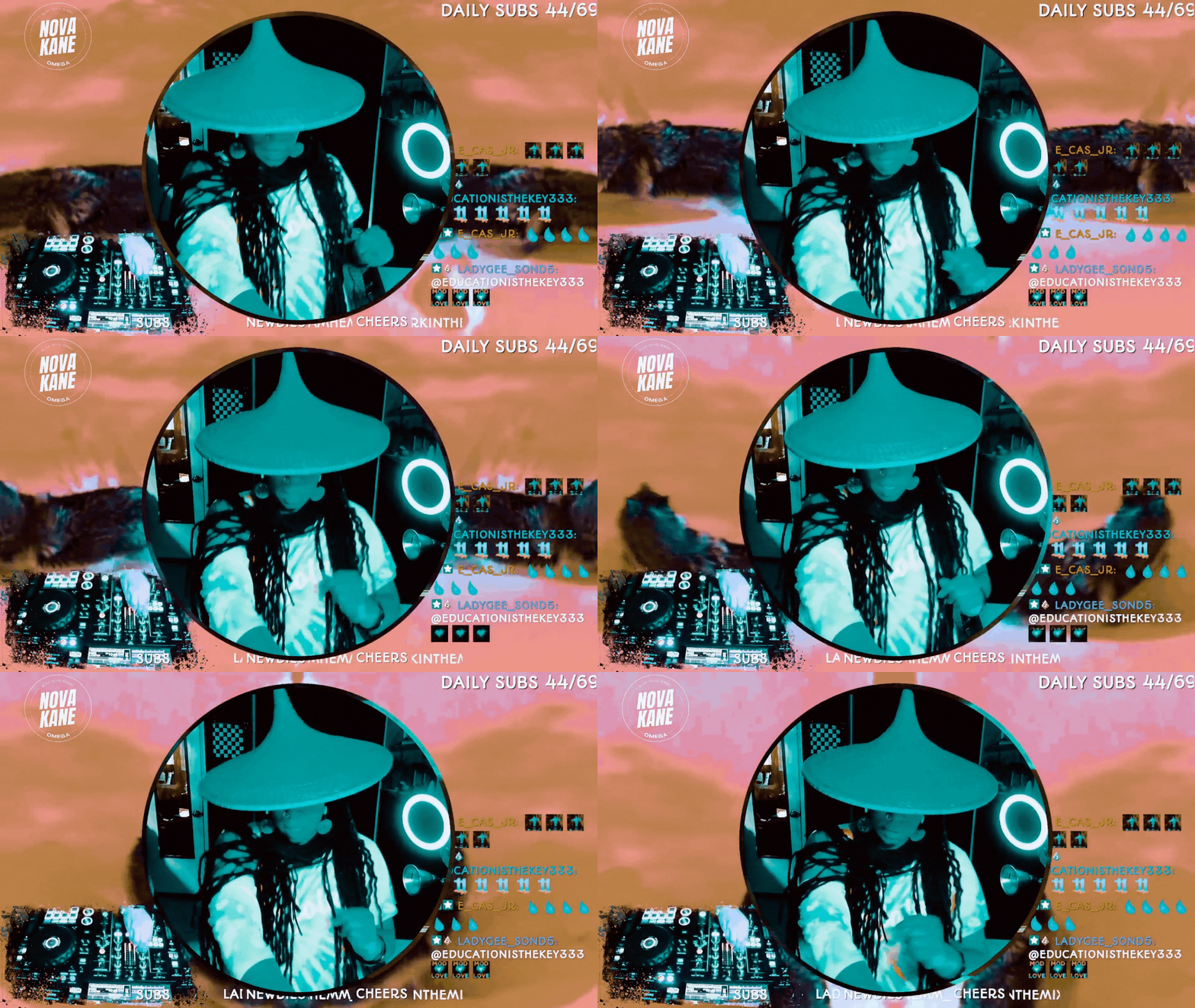
How to Do Image Masking in OBS (Step-by-Step)
If you’ve ever seen a streamer with a perfectly rounded webcam, clean overlays, or graphics that snap neatly into custom shapes, you’ve already seen image masking in action.
And here’s the gag: it’s not complicated.
You don’t need Photoshop. You don’t need plugins.You don’t need to be “good at tech.”
You just need one PNG file and a minute inside OBS.
Teacher Nine
Jan 144 min read


OBS Keyboard Shortcuts: The Cheat Code for Faster Streaming
Pro streamers don’t click around mid-broadcast — they use shortcuts. When you’re live, every second counts. The last thing you want is to fumble through menus, drag sources around, or try to mute something while 200 people watch you struggle. That’s how accidents happen — awkward silences, missed cues, and “Bruh, she clicked the wrong scene again” moments.
OBS keyboard shortcuts (also called hotkeys) fix all of that.
Teacher Nine
Nov 15, 20254 min read
bottom of page