top of page
The Creator CLASSROOM
Search


Twitch Stream Together: How to Collaborate on Twitch, Grow Your Community, and Reach More Viewers
Thinking about collaborating with other streamers? Learn how Twitch Stream Together works, how to set up collaborations, use Shared Chat, and grow your community with one of Twitch's most powerful networking features.

Teacher Nine
Jul 196 min read


How to Use a Green Screen in OBS (Complete Beginner's Guide)
For many creators, that's when they discover green screens.
Whether you're a Twitch streamer, YouTube creator, DJ, educator, VTuber, or just someone who doesn't want viewers staring at your bedroom or office, a green screen instantly transforms your production. Instead of showing your room, OBS can remove your background completely and place you in front of your gameplay, a custom overlay, an animated scene, or virtually anywhere you can imagine.
Teacher Nine
Jul 135 min read


Twitch Watch Streaks Explained: How They Work, How to Recover One, and Why They Matter for Your Community
Twitch Watch Streaks reward viewers for consistently supporting their favorite creators. Learn how the feature works, how to recover a missed streak, and why it's becoming one of Twitch's best community-building tools.
Teacher Nine
Jul 115 min read


How to Set Up Twitch Vertical/Horizontal Dual Format Streaming in OBS (Step-by-Step Guide)
Twitch streaming has evolved far beyond a single horizontal layout. Viewers are now split between traditional desktop watching and mobile-first discovery, which means creators need setups that work in both directions at the same time.
That’s where dual format streaming comes in.
With the right OBS setup, you can broadcast a horizontal stream for traditional viewers while simultaneously pushing a vertical canvas for mobile audiences. This allows you to stay discoverable
Teacher Nine
Jun 284 min read


Twitch Introduces Dual Format Streaming: Here's What It Means for Creators
If you've recently noticed new options like "Set Up Vertical" or "Enhanced Broadcasting" in your Creator Dashboard, you're not alone. In this guide, I'll explain what Twitch Dual Format Streaming is, why Twitch introduced it, who can use it, and whether it's worth enabling for your own channel.
Teacher Nine
Jun 283 min read


OBS Not Detecting Your Camera? Here's How To Fix It
Maybe you're setting up a drawing stream and want your audience to see both your face and your artwork at the same time. You spend time getting the lighting just right. One camera is pointed at you, the other is positioned perfectly over your sketchbook. Everything looks ready to go.
Then OBS decides it only wants to recognize one camera.
I've run into this problem more times than I'd like to admit. In fact, most of the time OBS has no problem detecting a single webcam.
Teacher Nine
Jun 84 min read


Why Your Stream Chat Is Dead (And What To Do About It) : 5 Ways To Get To Boost Twitch Engagement & Retain Viewers
Viewer engagement doesn't happen by accident. Lurkers are everywhere in live streaming — people who show up, watch in silence, and disappear without ever saying a word. And most of the time, that's not because they didn't want to participate. It's because nothing in the viewer experience told them they were welcome to.
Viewers are walking into the middle of a conversation that's already in progress. They don't know you. They don't know your community. They don't know the i
Teacher Nine
Jun 84 min read


Why Your Stream So Delayed - And How to Fix It!
As someone who spends a lot of time on Twitch, I've seen this play out more times than I can count. You're in a busy chat, topics are flying, the conversation is moving fast — and then the streamer responds to something you said two minutes ago, completely out of context.
Or worse, they misread the whole vibe of what you were saying because the moment has already passed. What felt relevant thirty seconds ago now lands like a non-sequitur, and suddenly there's a wall of co
Teacher Nine
May 316 min read


Capture Card Not Detected In OBS? 11 Fixes That Actually Work!
You plug in your capture card, launch OBS Studio, add a Video Capture Device source...
...and nothing happens.
No signal. No image. Your card is not being detected by OBS.
Whether you're trying to capture a gaming console, DSLR camera, second PC, or another video source, a capture card that refuses to appear in OBS can quickly turn a streaming session into a troubleshooting marathon.
Teacher Nine
May 304 min read


How to Create Custom StreamElements Alerts and Install Them in OBS
Once I know what kind of vibe I want, I head into Canva and start building the alerts themselves.
This is one of the reasons Canva is so good for creators. Even the free version gives you a huge amount of elements you can work with if you get a little creative. You can combine animated graphics, text, particles, lighting effects, GIFs, and layered visuals to create something that looks way more advanced than people expect.
Teacher Nine
May 297 min read


Why Most Streamers Never Break Out of Small Numbers: Understanding The Hidden Barriers to Streaming Growth
Many creators try to imitate massive streamers exactly.
But giant creators can get away with things smaller creators cannot.
A streamer with 50,000 viewers can sit silently for 10 minutes because the audience already feels attached to them.
A creator with 2 viewers cannot rely on existing emotional investment.
Small creators need amplification:
stronger energy
clearer personality
sharper branding
more interaction
faster pacing
stronger hooks
Not fake energy.
Teacher Nine
May 245 min read

Twitch Guru’s Random Clip Player: Turn Your Stream Into a Living Highlight Reel
If your stream ever goes quiet for even 30 seconds, you’re already losing momentum.
Not because silence is bad, but because modern viewers are trained to expect constant motion. Something happening. Something reacting. Something alive.
That’s where Twitch Guru’s Random Clip Player quietly becomes one of the most underrated tools in your entire streaming setup.
It turns your “dead air” moments into a looping highlight machine that keeps your stream visually active even
Teacher Nine
May 244 min read
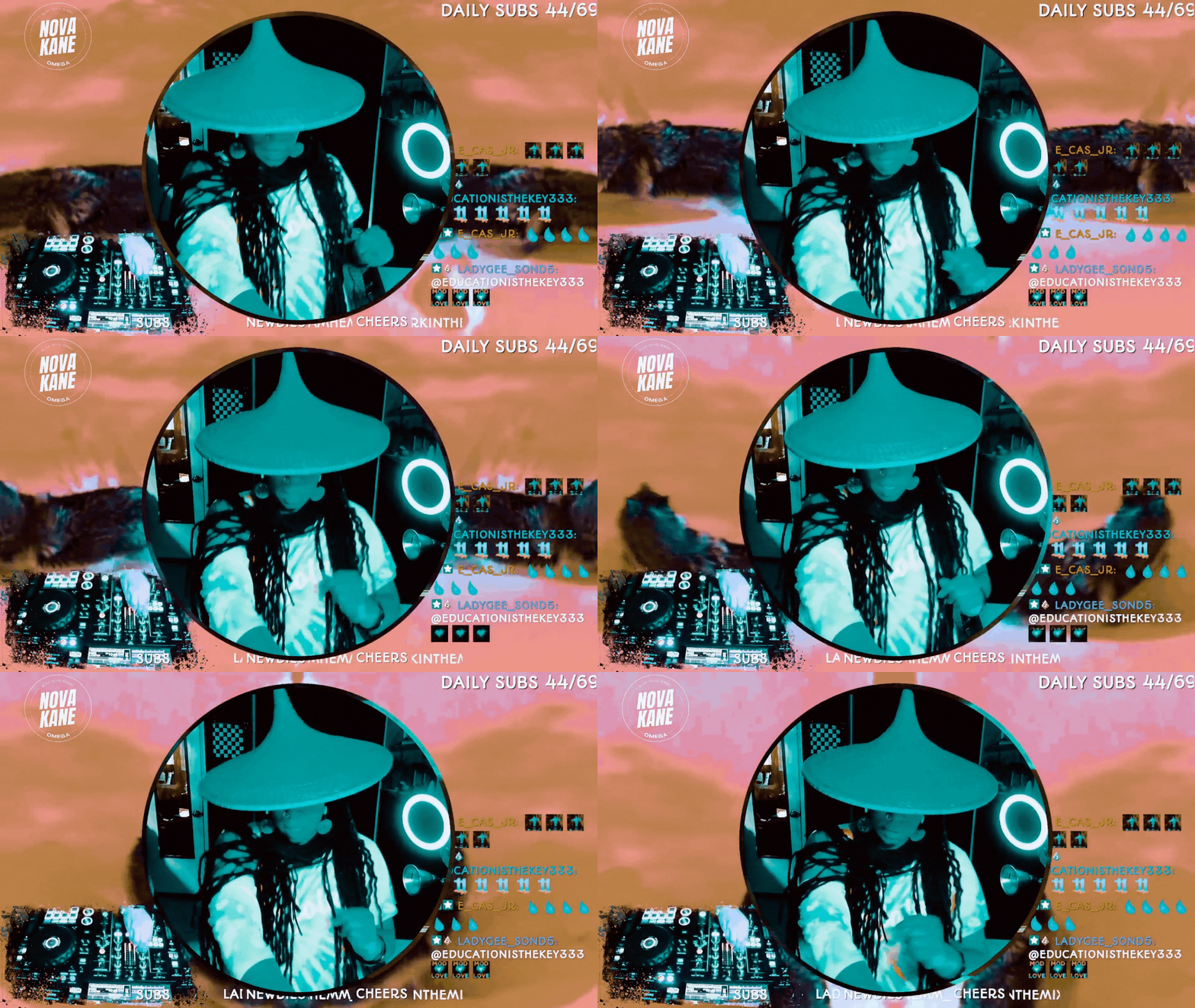
How to Do Image Masking in OBS (Step-by-Step)
If you’ve ever seen a streamer with a perfectly rounded webcam, clean overlays, or graphics that snap neatly into custom shapes, you’ve already seen image masking in action.
And here’s the gag: it’s not complicated.
You don’t need Photoshop. You don’t need plugins.You don’t need to be “good at tech.”
You just need one PNG file and a minute inside OBS.
Teacher Nine
Jan 144 min read


Twitch Guru: Enhance Your Stream with Automatic Video Shoutouts
Adding automatic video shoutouts with Twitch Guru’s tools can significantly boost your stream’s interactivity and entertainment value. By following the steps to set up the Shoutout Player and Video & Sound Overlay Maker, you create a seamless way to highlight other streamers or your viewers with engaging clips.
Teacher Nine
Dec 13, 20254 min read


OBS Keyboard Shortcuts: The Cheat Code for Faster Streaming
Pro streamers don’t click around mid-broadcast — they use shortcuts. When you’re live, every second counts. The last thing you want is to fumble through menus, drag sources around, or try to mute something while 200 people watch you struggle. That’s how accidents happen — awkward silences, missed cues, and “Bruh, she clicked the wrong scene again” moments. OBS keyboard shortcuts (also called hotkeys) fix all of that. With a single key press, you can switch scenes, mute your m
Teacher Nine
Nov 15, 20253 min read


10 Creative Stream Ideas to Revitalize Your Broadcasts and Engage Your Audience
If your streams feel predictable or your chat seems more bored than excited, it’s time to try something new. Streaming gameplay alone can get repetitive unless you’re a top-tier player with a huge following. Most viewers want more than just watching someone play—they want to be entertained, surprised, and involved. Here are 10 fresh ideas to bring energy, fun, and authenticity back to your broadcasts. STREAM IDEAS: 1. Mystery Box Stream Open surprise boxes live with your view
Teacher Nine
Oct 15, 20254 min read


How to Start Streaming on Twitch: The 9 Steps Every Beginner Needs
So—you’re a beginner who is ready to dive into the world of Twitch streaming. Maybe you’ve been inspired by your favorite creators, or maybe you just want to share your gameplay, art, or personality with the world.
Teacher Nine
Sep 17, 20253 min read


Monetizing My Stream: 11 Ways To Make Money On Twitch
Streaming is super fun, and a wonderful way to build a niche community. But because streaming is also a business we want to optimize monetization to make sure we can get paid for our precious time.
Monetizing a Twitch stream involves several strategies that cater to different types of audiences and content. Here are some ways to monetize your stream and make money on Twitch
Teacher Nine
Aug 15, 20244 min read


9 Benefits Of Streaming Live On Twitch
9 BENEFITS TO STREAMING ON TWITCH Streaming on Twitch Is great for building community, monetization opportunities, creative expression,...
Teacher Nine
Aug 11, 20243 min read
bottom of page