top of page
The Creator CLASSROOM


How to Fix Discord Audio Echo in OBS
Hearing doubled or echoing Discord audio in OBS? Learn how to isolate Discord, stop duplicate capture, check monitoring settings, and clean up your stream or recording.

Teacher Nine
3 days ago5 min read


How to Set Up StreamElements Alerts in OBS
Want follower, subscriber, raid, tip, and other alerts to appear in OBS? Here’s how to create a StreamElements AlertBox, connect it to OBS, and test everything before you go live.
Teacher Nine
Sep 153 min read


How to Change Where OBS Saves Recordings
Want OBS Studio to save your recordings somewhere else? Here’s how to change your OBS recording path, choose a dedicated folder, or save recordings directly to another drive.
Teacher Nine
Sep 133 min read


How to Find OBS Recordings on Your Computer
You just finished recording in OBS, closed everything out, and now you have one very important question:
Where did the recording go?
The good news is that OBS makes it pretty easy to find your recordings once you know where to look.
Teacher Nine
Sep 73 min read


How to Transfer OBS to Another Computer Without Starting Over
Eventually, if you stream long enough, you’re probably going to have to move OBS to another computer.
Maybe you finally upgraded your streaming PC. Maybe your old computer is on its last legs. Maybe something crashed and forced the issue. Or maybe you’ve simply reached the point where your current setup isn’t keeping up with what you’re trying to do anymore.
Whatever the reason, getting the new computer is the fun part. Moving everything over? Not so much.
Teacher Nine
Sep 17 min read


Should You Update OBS? Why Streamers Are Afraid to Update OBS Studio
OBS isn't just another app for a streamer. Once you've spent hours building scenes, configuring audio, installing plugins, setting up alerts, adding browser sources, dialing in your encoder and finally getting everything working exactly the way you want it, the last thing you want is an update coming through and knocking something sideways.
And yes, that can happen.
Teacher Nine
Aug 235 min read


How to Install the Aitum Vertical Plugin for OBS Studio (Complete Guide)
For years, that created a frustrating problem for OBS users.
OBS Studio was built around a traditional 16:9 canvas. While there were clever workarounds for creating vertical streams, most of them required duplicate scenes, complicated transforms, multiple instances of OBS, or enough trial and error to make even experienced streamers question whether it was worth the effort.
Fortunately, that's changed.
Teacher Nine
Aug 56 min read


How to Use a Green Screen in OBS (Complete Beginner's Guide)
For many creators, that's when they discover green screens.
Whether you're a Twitch streamer, YouTube creator, DJ, educator, VTuber, or just someone who doesn't want viewers staring at your bedroom or office, a green screen instantly transforms your production. Instead of showing your room, OBS can remove your background completely and place you in front of your gameplay, a custom overlay, an animated scene, or virtually anywhere you can imagine.
Teacher Nine
Jul 135 min read


Why Is OBS Not Capturing a Window? Here's How to Fix Window Capture in OBS Studio
Once you understand how Display Capture records your monitor, how Window Capture communicates with individual applications, how Game Capture hooks directly into games, and why Application Capture exists, OBS starts making a lot more sense.
Instead of trying random fixes from forum posts or Reddit threads, you can troubleshoot based on what's actually happening behind the scenes.
Teacher Nine
Jul 912 min read


How to Add Scene Transitions in OBS Studio (And Make Your Stream Look More Professional)
If you’ve ever watched a streamer and thought, “This just looks clean,” there’s a good chance part of that feeling is coming from something really simple: scene transitions.
It’s one of those small setup details inside OBS Studio that most people don’t think about at first. You don’t need transitions for your stream to work, and plenty of streams run perfectly fine without them. But once you add them, it’s an easy way to give your content a more polished, intentional feel
Teacher Nine
Jun 274 min read


OBS Not Detecting Your Camera? Here's How To Fix It
Maybe you're setting up a drawing stream and want your audience to see both your face and your artwork at the same time. You spend time getting the lighting just right. One camera is pointed at you, the other is positioned perfectly over your sketchbook. Everything looks ready to go.
Then OBS decides it only wants to recognize one camera.
I've run into this problem more times than I'd like to admit. In fact, most of the time OBS has no problem detecting a single webcam.
Teacher Nine
Jun 84 min read


Why Your Stream So Delayed - And How to Fix It!
As someone who spends a lot of time on Twitch, I've seen this play out more times than I can count. You're in a busy chat, topics are flying, the conversation is moving fast — and then the streamer responds to something you said two minutes ago, completely out of context.
Or worse, they misread the whole vibe of what you were saying because the moment has already passed. What felt relevant thirty seconds ago now lands like a non-sequitur, and suddenly there's a wall of co
Teacher Nine
May 316 min read


Capture Card Not Detected In OBS? 11 Fixes That Actually Work!
You plug in your capture card, launch OBS Studio, add a Video Capture Device source...
...and nothing happens.
No signal. No image. Your card is not being detected by OBS.
Whether you're trying to capture a gaming console, DSLR camera, second PC, or another video source, a capture card that refuses to appear in OBS can quickly turn a streaming session into a troubleshooting marathon.
Teacher Nine
May 305 min read


Discord Voice Chats + OBS Studio: Audio Setup Guide For Streamers (No Extra Apps Required)
Discord voice chats are like cracking open a live studio feed mid-stream. Sometimes it’s smooth harmony. Sometimes it’s chaotic improv jazz with someone eating chips into their mic. But when paired correctly with OBS Studio, it becomes one of the easiest ways to turn a solo broadcast into a living, interactive experience.
Teacher Nine
May 293 min read


How to Create Custom StreamElements Alerts and Install Them in OBS
Once I know what kind of vibe I want, I head into Canva and start building the alerts themselves.
This is one of the reasons Canva is so good for creators. Even the free version gives you a huge amount of elements you can work with if you get a little creative. You can combine animated graphics, text, particles, lighting effects, GIFs, and layered visuals to create something that looks way more advanced than people expect.
Teacher Nine
May 296 min read


Your Stream Looks Good. Does It Sound Good? Make Your Stream Sound Professional with OBS Audio Ducking
When somebody clicks into your stream, their ears start judging everything immediately. You can have an incredible setup visually, but if your background music is fighting your microphone every time you speak, the entire production starts to feel messy. Audio balance matters more than a lot of streamers realize. One of the easiest ways to instantly improve your stream’s production quality is by learning how to use a feature called ducking.
Teacher Nine
May 235 min read


Troubleshooting Laggy OBS Streams for a Smooth Streaming Experience
There is nothing more frustrating than preparing a detailed, visually engaging stream only to have it stutter and lag once you hit "Start Streaming." Laggy streams can ruin the viewer experience and leave you feeling defeated. The main reason for this problem often lies in your computer struggling to handle the load of your streaming setup in real time. This post will guide you through practical steps to troubleshoot laggy streams on OBS and help you keep your broadcast smoot
Teacher Nine
Apr 15 min read
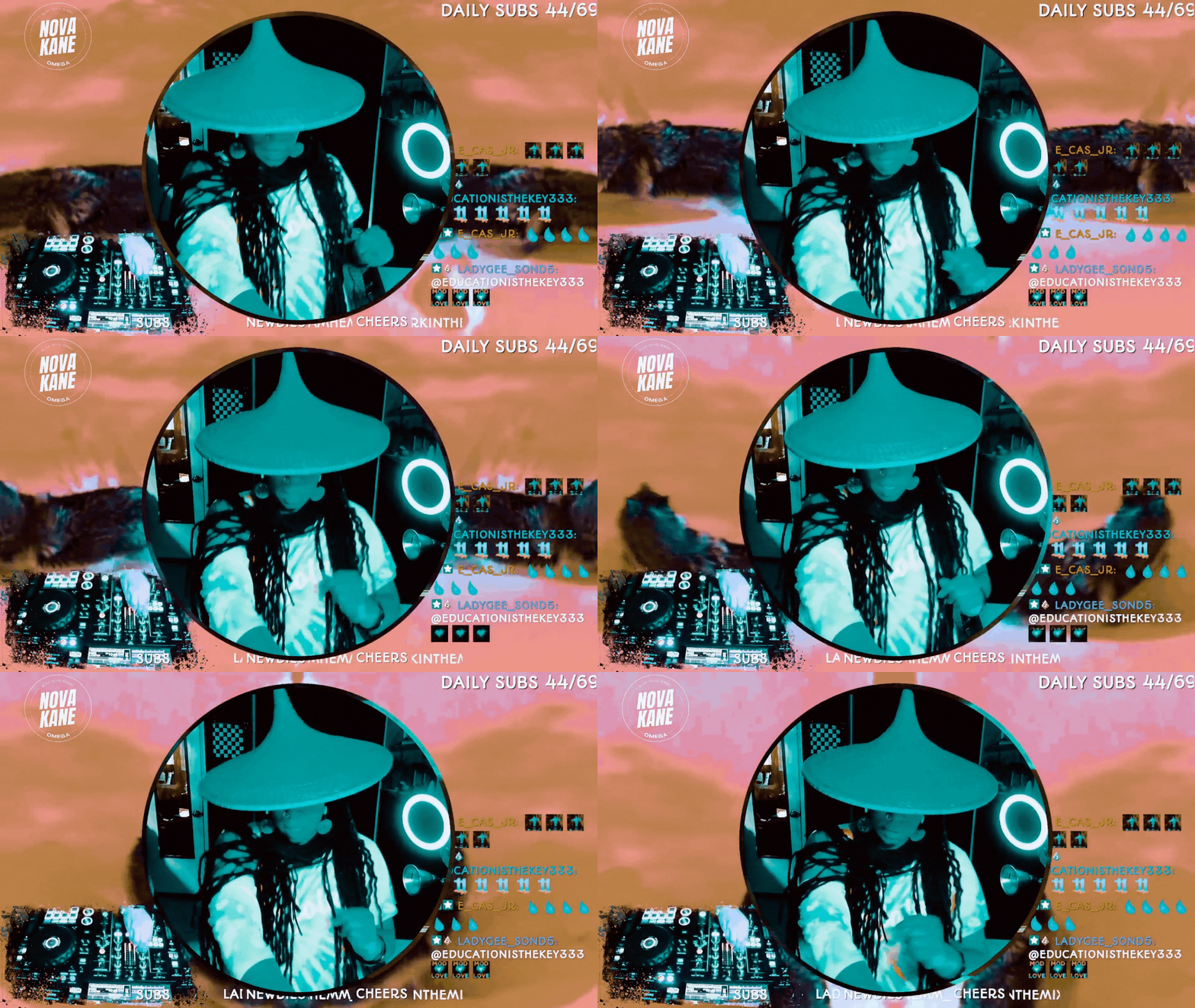
How to Do Image Masking in OBS (Step-by-Step)
If you’ve ever seen a streamer with a perfectly rounded webcam, clean overlays, or graphics that snap neatly into custom shapes, you’ve already seen image masking in action.
And here’s the gag: it’s not complicated.
You don’t need Photoshop. You don’t need plugins.You don’t need to be “good at tech.”
You just need one PNG file and a minute inside OBS.
Teacher Nine
Jan 144 min read


Fixing Audio Delay & Latency in OBS: A Comprehensive Guide to Syncing Your Sound and Video
Audio latency in OBS can feel like your sound is showing up late to the party. When your voice, game sounds, or desktop audio don’t match the video, it creates a distracting experience for viewers. The good news is that most audio delay problems in OBS have straightforward fixes.
Teacher Nine
Dec 13, 20254 min read


OBS Keyboard Shortcuts: The Cheat Code for Faster Streaming
Pro streamers don’t click around mid-broadcast — they use shortcuts. When you’re live, every second counts. The last thing you want is to fumble through menus, drag sources around, or try to mute something while 200 people watch you struggle. That’s how accidents happen — awkward silences, missed cues, and “Bruh, she clicked the wrong scene again” moments.
OBS keyboard shortcuts (also called hotkeys) fix all of that.
Teacher Nine
Nov 15, 20254 min read
bottom of page