How to Make an Animated GIF in ChatGPT: What Works, What Doesn't, and What to Know

If you've ever tried to make your own animated GIFs, especially for Twitch emotes, stream alerts, or other graphics, you probably know how quickly something that seems simple can turn into a whole project.
Maybe you have a perfectly good image, but you want the eyes to blink or the character to laugh. Maybe you've already created an animated GIF, but one frame has a transparency problem. Or maybe you're working in Canva, and you've reached that point where the program does almost everything you need except the one thing you're trying to accomplish.
I've been there.
I'm a graphic designer, Twitch streamer, and longtime ChatGPT user. I create my own stream graphics, including overlays, animated assets, and emotes. I've also used Canva alongside dedicated GIF-making tools to get animations looking the way I want them.
So when OpenAI introduced GIF creation in ChatGPT, I immediately wanted to see what it could do. Could I upload an emote and tell ChatGPT to animate it? Would it understand the movement? Preserve transparency? What about editing an existing GIF without ruining the original animation?
I spent some time putting those questions to the test. Some results were surprisingly good. Others reminded me that there's a difference between asking AI to animate something and having precise control over every frame.
Here's how to make an animated GIF in ChatGPT, what I learned, and where the feature fits in a creator's workflow.
Can You Make an Animated GIF in ChatGPT?
Yes. ChatGPT can now generate animated GIFs from text prompts and still images.
On November 4, 2026, OpenAI introduced Images 2.6, adding GIF creation alongside improvements to image generation and editing.
You can describe an animation or upload a still image and ask ChatGPT to bring it to life. For example, you might upload a cartoon character and ask it to laugh, blink, wave, or dance. You can also describe a GIF without uploading an image.
That's potentially useful for streamers, designers, and creators who want animated graphics without learning traditional animation software. Images 2.6 is available across ChatGPT tiers, although availability and limits vary.
How Do You Make an Animated GIF in ChatGPT?
You don't need to create individual animation frames to get started.
Step 1: Open ChatGPT
Open ChatGPT on desktop or mobile. Ask for an animated GIF in your conversation, using the feature if it's available on your account.
Step 2: Upload an Image or Describe Your GIF
Upload an emote, drawing, illustration, character, or photograph. Or begin without an image by describing the character and animation you want.
Step 3: Describe the Movement
Start simply: "Animate this emoji laughing."
Or be more specific: "Create a seamless looping GIF of this character laughing. Keep the character centered, animate the mouth opening wider during the laugh, and keep the background transparent."
You can specify which features should move, which should stay still, the mood, and whether the animation should loop.
Step 4: Generate and Preview the Animation
Watch the result several times, particularly where it repeats. Is the movement natural? Does the character stay recognizable? Does the final frame flow back into the first?
A GIF can look fine during one pass and still have an awkward loop.
Step 5: Revise or Save the GIF
If it works, save it. Otherwise, describe what needs changing. ChatGPT also offers playback-speed adjustment for generated GIFs.
One important lesson from my experiments: more detailed prompting doesn't always produce a better animation.
What Happened When I Tested ChatGPT's Animated GIF Generator?
I tested it with graphics relevant to my actual work: emoji expressions, my own photograph, and an existing animated bunny.
Test 1: Animating a Flirty Emoji
I started with a cartoon emoji with an exaggerated, playful expression. I gave ChatGPT very little direction and let it interpret the movement.
The result was actually pretty good. The character retained its personality and recognizable appearance. It wasn't perfect, but I could see myself using it.
For relatively simple cartoon expressions, the AI can sometimes produce a useful starting point without much instruction.
Original image:

ChatGPT animated result:

Test 2: Animating a Photograph of Myself
This one was much harder.
I uploaded a photograph of myself making kissy lips and asked ChatGPT to animate me blowing a kiss. The first attempt added a hand gesture I didn't request, including nails that didn't resemble mine.
I asked it to remove the hand, keep my body still, and focus on my lips. In later versions, my shoulders, chest, and hair moved far more than necessary. I looked like I was pulsing or shaking instead of blowing a kiss.
My mouth also changed shape. My upper lip became fuller than it is in real life, so some frames didn't look quite like me.
Even with clear instructions to isolate the mouth, the generator struggled not to animate the rest of my body.
This is an important limitation when animating real people. A still photo doesn't show exactly how someone's face looks during every stage of a new movement. ChatGPT has to invent those intermediate expressions, and recognizable features can change.
Original image

ChatGPT animated result

Test 3: Animating a Sighing Emoji
I deliberately gave ChatGPT almost no guidance about an emoji that was supposed to represent sighing.
The initial animation looked more like someone sleeping and taking repeated deep breaths. Its eyes were closed, and the mouth kept opening and closing.
The animation itself wasn't necessarily bad. It simply communicated the wrong action.
I explained that a sigh should read as a long exhale rather than a repeating inhale-and-exhale cycle. Unfortunately, the revisions became less natural, with exaggerated mouth movement and choppier looping.
Sometimes the first interpretation was visually better, even if it wasn't exactly what I intended.
Original image

ChatGPT animated result

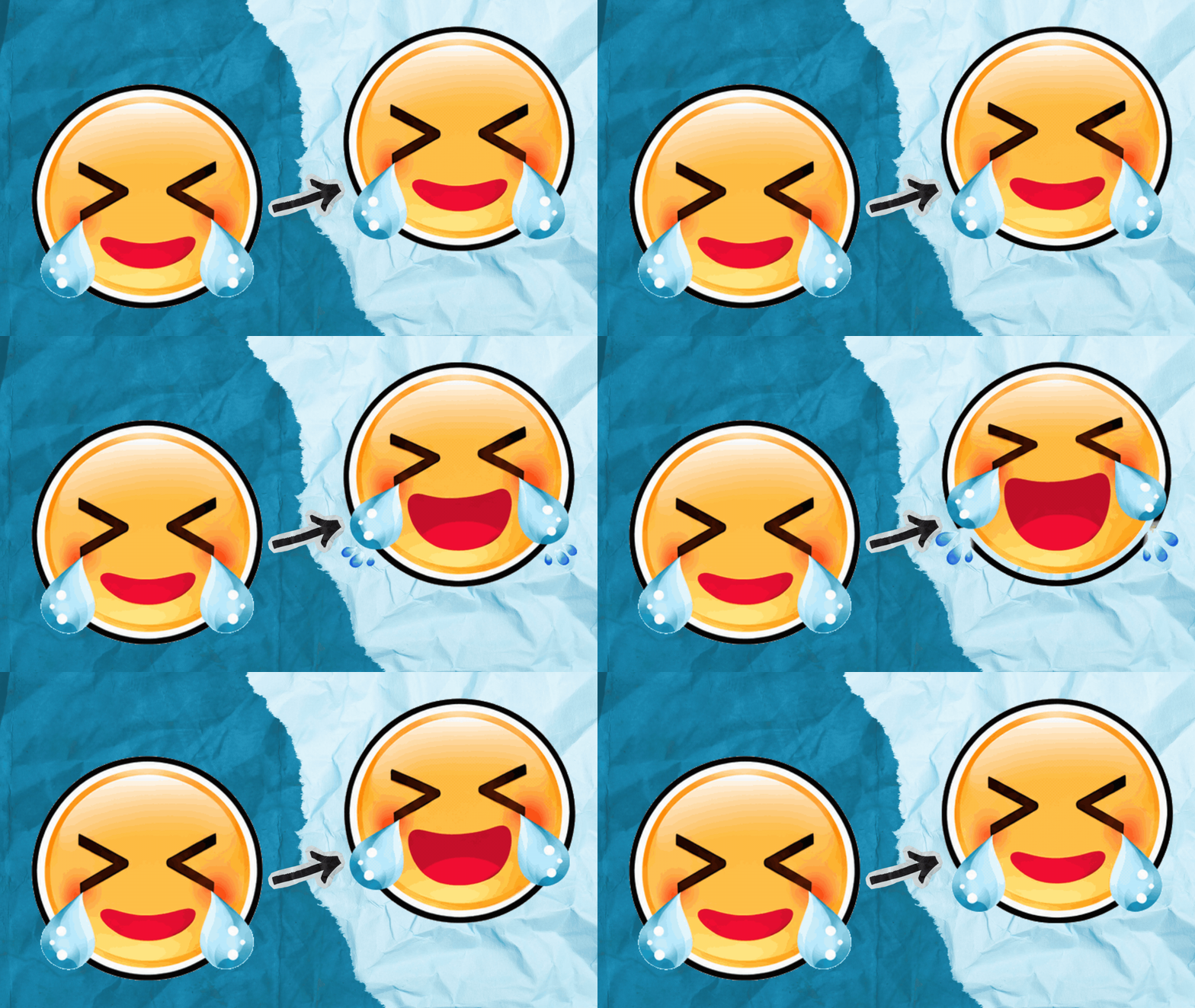
Test 4: Making a Laughing Emoji Cry Happy Tears
The laughing emoji was one of my favorite experiments.
Before generating it, I asked ChatGPT to explain how it would animate a laughing face with tears streaming out of its eyes. It proposed an animated mouth, tightly squinted eyes, and tears that bounced or wobbled.
I wasn't convinced about that tear motion. Tears fall, flow, or shoot outward. They don't generally bounce in place. Still, I let ChatGPT do its thing.
And the first animation was pretty good! The laughing expression was convincing, the mouth looked animated, and the character had personality.
Then I asked it to animate the tears as droplets forming at the eyes, shooting outward to either side, disappearing, and forming again in one continuous cycle.
ChatGPT understood the description and explained it well. But the next generated GIF lost some of the mouth expression and became choppier, with a less natural loop.
I preferred the first version. Understanding an animation concept and executing it consistently across frames aren't the same thing.
Original image

ChatGPT animated result

Why Do Some AI-Generated GIFs Look Choppy?
An animated GIF consists of individual images displayed in sequence. When those frames don't flow naturally, the movement looks jittery or uneven.
I noticed several recurring issues: characters shifting around the canvas when they should have stayed still; facial features changing proportions; movements jumping instead of progressing smoothly; and abrupt resets when the final frame returned to the beginning.
Adding more frames doesn't automatically fix these problems. If the motion itself is wrong, more frames can produce a longer version of the same problem.
For a continuous loop, both the movement and the return to the starting pose must make sense.
Can ChatGPT Animate an Existing Image Without Changing Its Appearance?
It can try, but exact preservation isn't guaranteed.
My cartoon emoji experiments were generally more successful than the photograph. A little variation can pass unnoticed in a playful cartoon, while altered facial proportions are immediately noticeable in an image of a real person.
If you're animating a photograph, a brand mascot, or a distinctive character, inspect every part of the result. Don't assume the AI will keep features identical just because you tell it to.
Can You Edit an Existing Animated GIF in ChatGPT?
There's an important distinction here.
ChatGPT's native GIF generation feature can revise GIFs it generates, but OpenAI's current documentation says it doesn't directly edit an animated GIF that you upload. However, ChatGPT can help with existing GIFs using separate frame-processing workflows.
I tested this using an animated pink bunny.
My instructions were simple: turn the bunny blue and keep everything else the same.
The first result had transparency defects. Some frames contained see-through patches inside the bunny's face and head, even though those areas should have remained solid.
I explained that every original frame needed the same recoloring treatment, while keeping the transparency outside the character unchanged.
The corrected version preserved the original animation and successfully changed the bunny to blue.
That was one of my more useful results. ChatGPT doesn't necessarily have to invent the animation. It can also help repair or recolor existing frames using image processing.
Straightforward recoloring and technical repairs are more predictable than asking generative AI to redraw facial expressions or invent new motion. I'll explore individual-frame editing in another tutorial.
Original animated pink bunny

Corrected animated blue bunny

Can ChatGPT Make GIFs With Transparent Backgrounds?
Yes, you can request transparency, but check it carefully.
For streamers, transparent backgrounds are essential when animated emotes and reactions appear over gameplay, webcam footage, overlays, and OBS scenes.
During my testing, unexpected backgrounds appeared in some generations. The bunny edit showed another problem: transparency appearing inside the character.
Preview the finished animation against both light and dark backgrounds. Look for unwanted holes, colored edges, or parts that appear and disappear between frames.
Inspect the complete GIF, not just its first frame.
Can You Use ChatGPT to Make Animated Twitch Emotes?
Absolutely, and that's one of the uses that interests me most.
Twitch already provides Easy Animate presets for static emotes: Shake, Rave, Roll, Spin, Slide In, and Slide Out. Those are useful, but they primarily move the existing emote around.
ChatGPT can attempt something more expressive, such as blinking eyes, a laughing mouth, or crying tears.
That's appealing to streamers who want more personality in their emotes without learning traditional animation software.
You'll still need to follow Twitch's animated-emote upload specifications, including square dimensions, frame limits, and file-size restrictions. You may have to resize or optimize your ChatGPT GIF before uploading it.
Should You Use ChatGPT, Canva, or a GIF Editor?
I don't think these tools have to compete.
I use Canva extensively for stream graphics, overlays, and other branded assets. It can design and animate elements, remove backgrounds, and export GIFs. But detailed repair of individual frames in an existing GIF is a different job.
A dedicated tool such as Ezgif can help split, reorder, optimize, and reassemble frames. ChatGPT adds another option for generating movement from still artwork or assisting with targeted frame processing.
I might design a character in Canva, try animating it in ChatGPT, and then use a GIF editor to resize, optimize, or repair the final output.
You don't have to force one application to do everything. Combining tools can be faster and more effective.
Is ChatGPT's GIF Generator Free?
OpenAI says Images 2.6 is available across ChatGPT subscription tiers, including free accounts. Limits and availability can vary by account and rollout.
If you plan to generate many emotes or run several iterations of the same animation, consider how those limits may affect your workflow.
Is ChatGPT's GIF Generator Actually Worth Using?
After several experiments, my answer is yes, with qualifications.
I can see GIF creation becoming part of my regular workflow. Uploading static artwork and requesting an animation in a conversation is convenient, especially for someone who doesn't know traditional animation tools.
But I wouldn't consider it a complete replacement for frame-by-frame editing.
I saw inconsistent movement, unwanted body animation, changes to facial features, transparency defects, and less-natural loops after revision.
Some of my favorite results came from giving ChatGPT very little direction. Other times, additional instructions made the animation worse.
That doesn't mean detailed prompting is bad. It means a precise description doesn't guarantee precise execution.
What Would Make ChatGPT's GIF Generator Better?
As a designer, I want precise control over which elements and frames change.
Imagine being able to say, "Keep the entire animation the same, but fix the transparency in frame seven," or "Only animate the mouth. Lock the head, shoulders, and hair."
I'd also like better control over seamless loops and a reliable way to preserve everything that already works when requesting a small adjustment.
Getting a result that's 90% right, asking for one improvement, and losing the good parts in the next version is frustrating.
The feature is new, and there are already things it does well. But these are the changes that would make it substantially more useful for professional creators.
Should You Try Making Animated GIFs in ChatGPT?
I think so, especially if you create graphics for streaming, social media, websites, or digital products.
Start simple. Upload a cartoon image or emoji and request one recognizable action. Watch the result before adding lots of detailed instructions.
If it works, save it. If it doesn't, focus on one problem at a time and compare new attempts with the version you liked.
Don't assume the latest result is automatically the best.
As a designer, I still want control over my artwork. But I also appreciate tools that make creative work easier and more accessible.
ChatGPT's GIF generation has growing to do. I encountered plenty of rough edges, but I also produced animations I could see myself using.
For me, the real potential isn't letting AI make every creative decision. It's having another useful tool in the design workflow.


Comments